

Prerequisites
Before interacting with Mewler, you’ll need:- A Web3 wallet (MetaMask, Rabby, WalletConnect, etc.)
- Some tokens to deposit as collateral or to lend
- Understanding of basic DeFi lending concepts
Connecting Your Wallet
To begin using Mewler:- Visit the HypurrFi interface
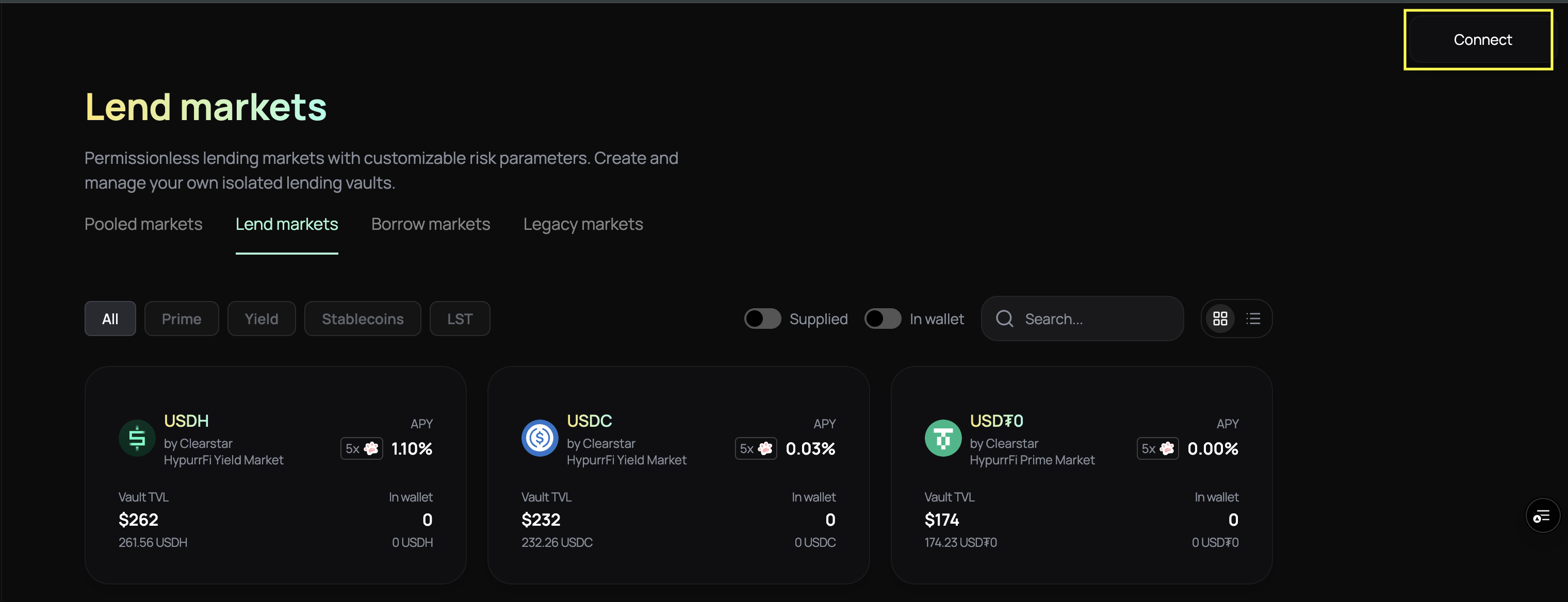
- Click “Connect Wallet” in the top-right corner
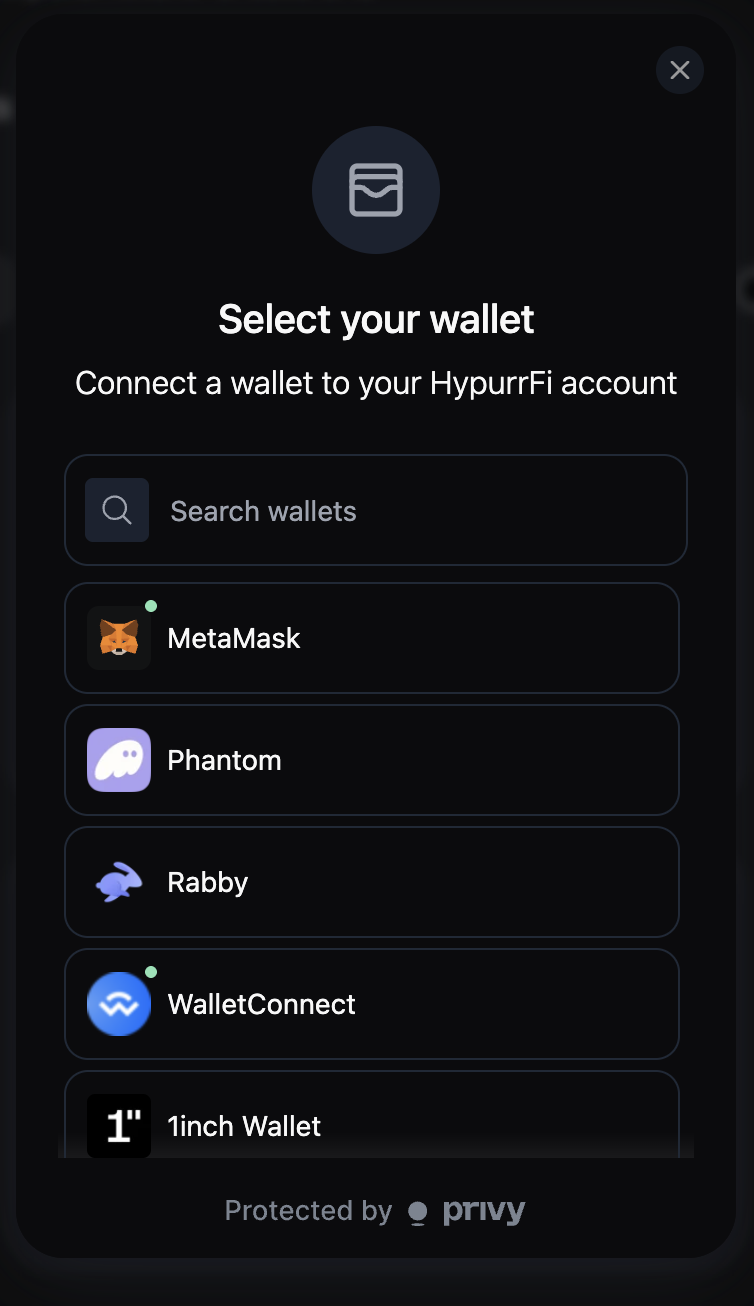
- Select your wallet provider:
- Browser extensions: MetaMask, Rabby, or other compatible wallets
- Mobile wallets: Use WalletConnect to connect mobile wallets
- Approve the connection request in your wallet
- Ensure you’re on the correct network, HyperEVM Mainnet.
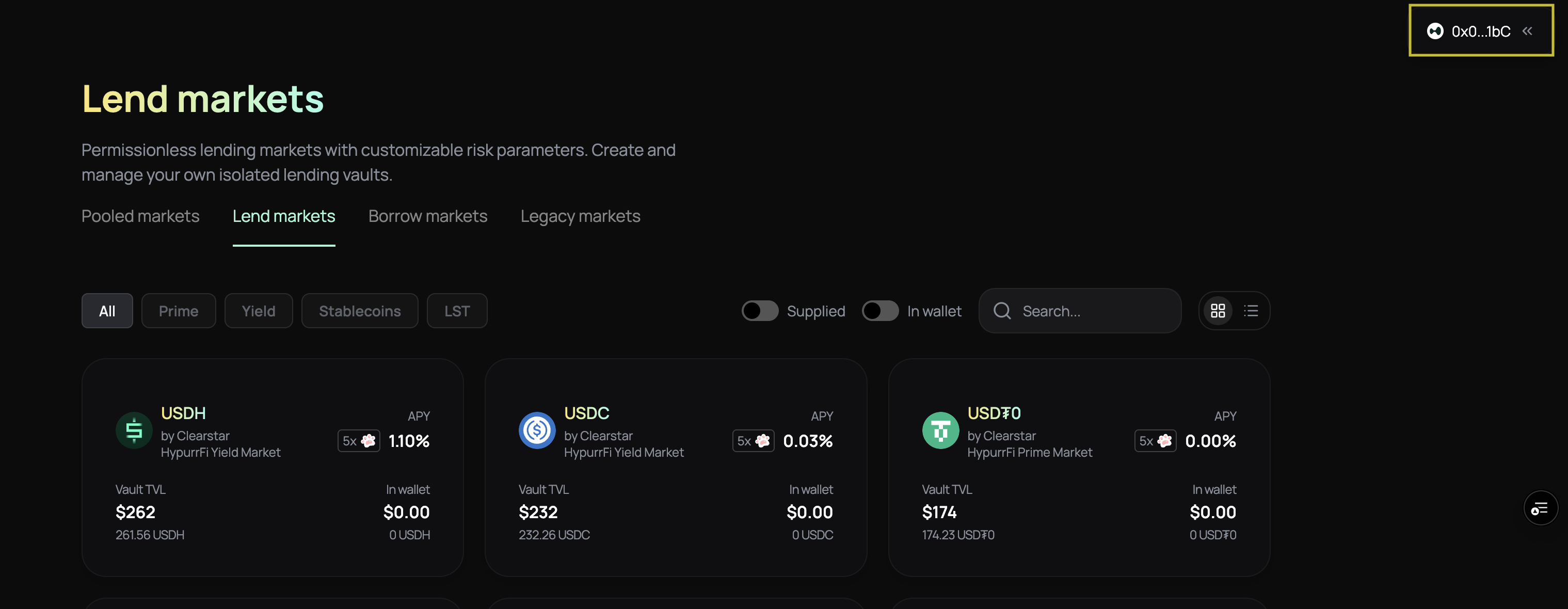
- Once connected, your wallet address should appear in the top-right, confirming successful access.
Interface Overview
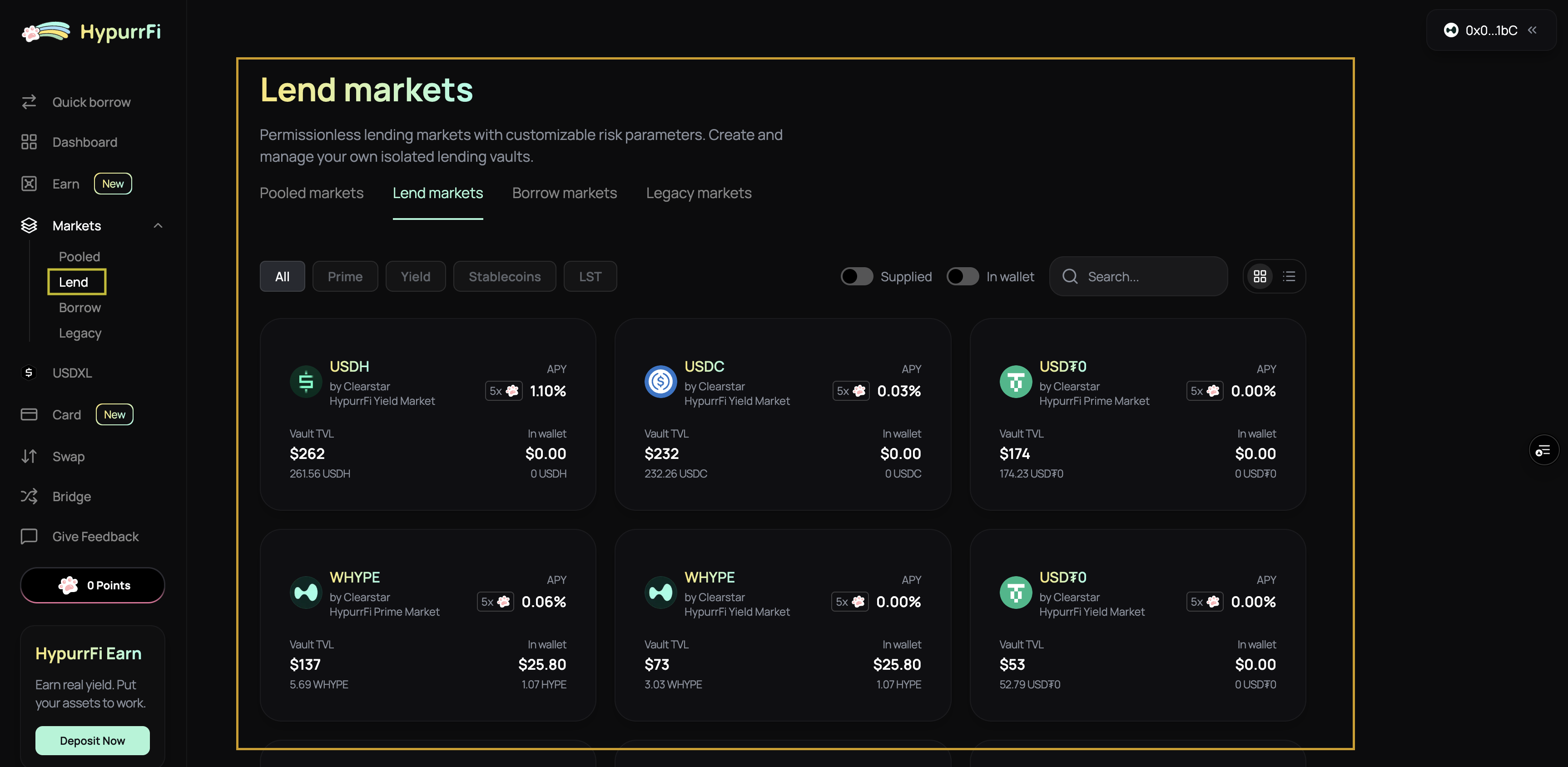
Once connected, you’ll see the main navigation in the HypurrFi interface. Under the Markets tab on the left, you’ll find:Lend
View available vaults where you can supply assets. For each vault you’ll see:- Supply APY: The annual percentage yield for supplying assets
- Total Supply: Total assets deposited in the vault
- Exposure: Which vaults accept those assets as collateral
- Utilization: How much of the vault’s capacity is being borrowed
- Collateral Factors: Maximum LTV for using this asset as collateral
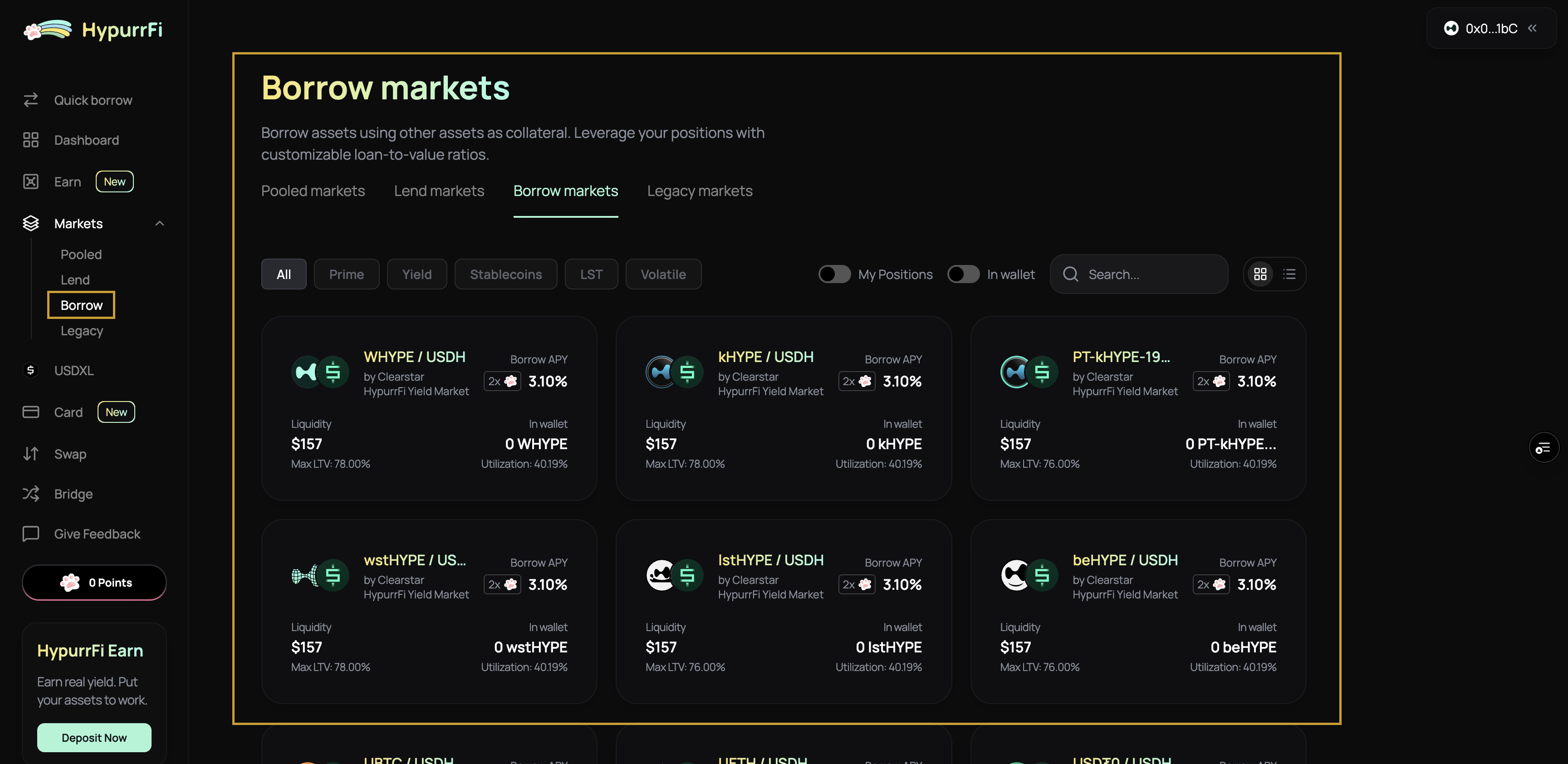
Borrow
Explore collateral-debt asset pairs. You’ll see:- Supply and Borrow APYs: Interest rates for both sides
- Max ROE/Multiplier: Maximum leverage available
- Loan-to-Value (LTV): How much you can borrow against collateral
- Liquidation LTV (LLTV): The threshold at which liquidation becomes possible
- Market Liquidity: Available borrowing capacity
Key Concepts
Understanding these concepts will help you navigate risks and opportunities when using Mewler:Account Abstraction (Sub-accounts)
Your main wallet handles Savings (account 0). Each time you open a borrow or multiply position, Mewler creates a new sub-account (account 1, 2, 3, …), isolating each position. This means:- Position Isolation: Each position is completely separate, preventing cross-contamination
- Risk Management: Isolate risky positions from your main account
- Up to 256 Sub-accounts: Each wallet can have multiple isolated positions
Collateral Source
When opening a position, collateral can come from:- Your Wallet: Directly from tokens you hold
- Your Savings: From funds already supplied in your Savings (account 0)
Atomic Execution (Batching)
Actions—like supplying collateral and borrowing in one step—are often done via “batches” using the EVC (Ethereum Vault Connector). This ensures:- Safety: Either all operations succeed or all fail (atomic execution)
- Gas Efficiency: Combine multiple operations in a single transaction
- Reduced Risk: Prevents transactions from failing halfway through
Vaults & Pairs
- Vaults: Individual asset markets for lending. Each vault is isolated and operates independently.
- Pairs: For borrowing and complex strategies, you use pairs—one vault for collateral, another for the borrowed asset.
LTV & LLTV
- Borrow LTV (Loan-to-Value): The maximum percentage you can borrow against your collateral initially. For example, if LTV is 80%, you can borrow up to 80% of your collateral’s value.
- Liquidation LTV (LLTV): The threshold at which your position becomes at risk of liquidation. When your position’s LTV reaches this level, it can be liquidated.
Health Score
A numerical indicator of how safe your borrow or multiply position is:- Health Score > 1.0: Safe position
- Health Score = 1.0: At liquidation threshold (danger zone)
- Health Score < 1.0: Can be liquidated
Risk Curator
Each vault or market may be managed by a risk curator who sets risk parameters (oracles, LTVs, etc.) to ensure users’ funds are protected. Curators cannot withdraw user assets—they only manage risk parameters.Where Do Your Deposits & Positions Live?
Understanding how Mewler handles your accounts:- Savings (direct deposits) are always held in your main wallet address, known internally as account 0.
- Each borrow or multiply position is opened in a unique sub-account (accounts 1, 2, 3…). These are special addresses tied to your wallet but separate from account 0.
- All sub-accounts are identifiable on-chain: they share the first 19 bytes with your main address; only the final byte differs.
Next: Start Using Mewler
Now that you understand the basics, you’re ready to start using Mewler:Lend
Learn how to lend assets in vaults to earn yield: Complete Lend Guide The lend guide covers:- Choosing a vault
- Depositing assets
- Monitoring your position
- Withdrawing from savings
Borrow
Learn how to borrow assets using collateral: Complete Borrow Guide The borrow guide covers:- Opening a borrow position
- Managing health scores
- Repaying debt
- Withdrawing collateral from borrow positions
Tips Before You Start
Before diving into Mewler, keep these tips in mind:- Explore the Interface: Take time to explore each section in the UI. Click into vaults and pairs for detailed views—use tooltips and info icons to understand metrics.
- Pay Attention to Key Metrics: Focus on numbers like health score, liquidation price, exposure, and liquidity—these directly affect your position’s safety.
- Understand Collateral Eligibility: Make sure you understand whether the asset you’re using can be used as collateral and what the LTV limits are.
- Start Small: Begin with smaller positions to familiarize yourself with the platform before committing larger amounts.
- Monitor Regularly: Keep tabs on your positions, especially health scores and liquidation prices, as market conditions change.
Best Practices
Risk Management
- Monitor Health Score: Keep your health score well above 1.0 to avoid liquidation risk. Set alerts if possible.
- Diversify: Don’t put all your collateral in one vault. Spread risk across multiple positions.
- Understand LTV and LLTV: Know the maximum Loan-to-Value ratio and Liquidation LTV for your positions. Leave buffer room.
- Watch Liquidation Prices: Monitor the liquidation price for your positions, especially in volatile markets.
- Asset Correlation: Be aware of asset correlations when using multiple assets as collateral—correlated assets increase risk.
- Position Isolation: Use sub-accounts to isolate different strategies and risk profiles.
Gas Optimization
- Use EVC Batching: Combine multiple operations (supply + borrow, repay + withdraw) in a single transaction to save gas.
- Batch Approvals: When depositing multiple assets, batch token approvals when possible.
- Sub-account Strategy: Use sub-accounts strategically—they’re free to create but consider gas costs for operations.
- Atomic Operations: Leverage atomic batching to ensure complex operations either fully succeed or fully fail.
Security
- Verify Contract Addresses: Always verify contract addresses before interacting. Use official sources only.
- New Vaults: Be cautious with new or experimental vaults. Understand their risk parameters before depositing.
- Collateral Risks: Understand the risks of enabling collateral—your position can be liquidated if health score drops.
- Operator Permissions: If using operators (for automation), only grant permissions to addresses you fully trust.
- Network Verification: Always ensure you’re on the correct network before executing transactions.
Next Steps
User Guides
- Lend - Complete guide to lending assets and earning yield
- Borrow - Complete guide to borrowing and managing positions
- Risk Management - Best practices for managing risk
Core Concepts
- Understanding Vaults - Learn how vaults work
- Interest Rate Models - Understand how rates are calculated
- Liquidations - Learn about liquidation mechanics
- EVC and Sub-accounts - Advanced features for power users
Need Help?
If you have questions or need assistance:- Join our Telegram community for discussions
- Open a support ticket on Discord