

Want to borrow against your collateral? Navigate to the Borrow tab to open a borrowing position. Depositing in a vault will only earn you yield.
Your First Deposit
Step 1: Choose a Vault
Browse available vaults and click the one that accepts your token. Each vault shows:- Current supply APY
- Total assets deposited
- Points multiplier
- User wallet balance
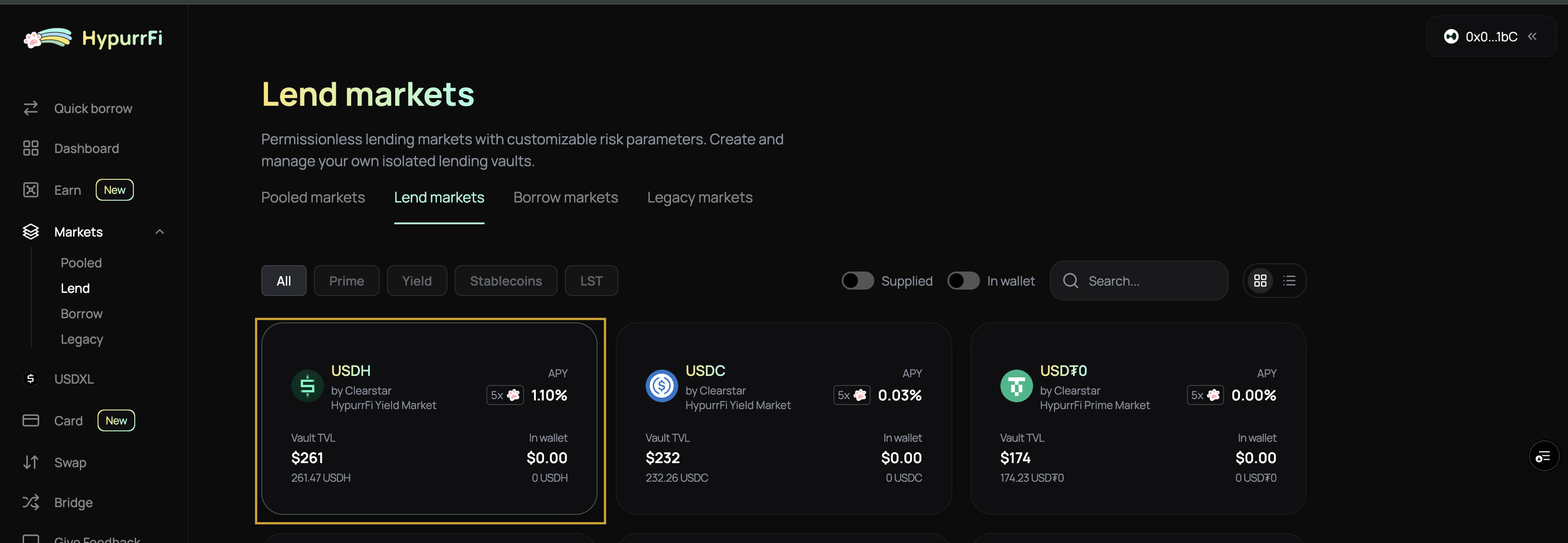
Step 2: Deposit Assets
- Click your chosen vault
- Enter the amount you want to deposit
- Approve the token if necessary
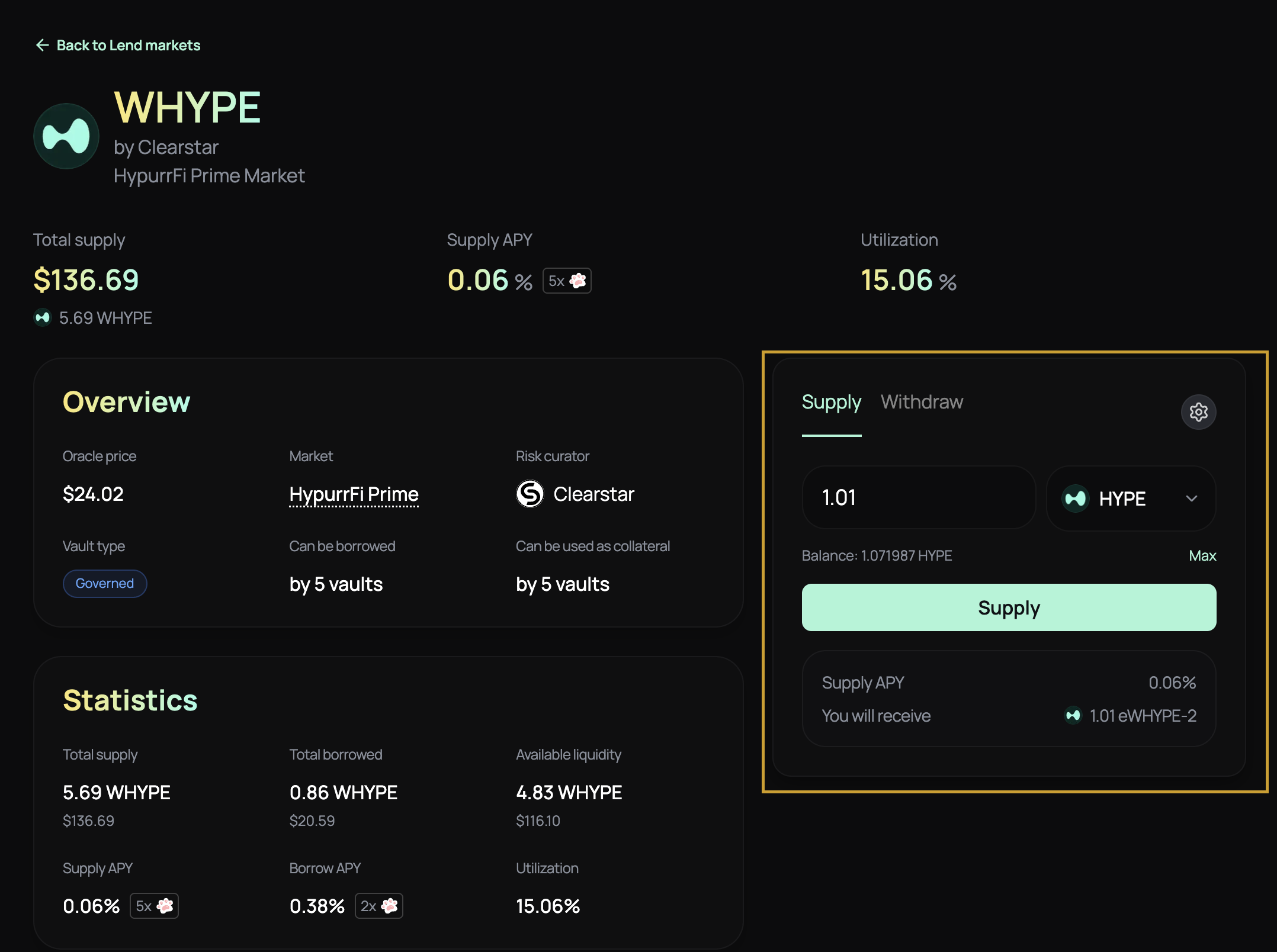
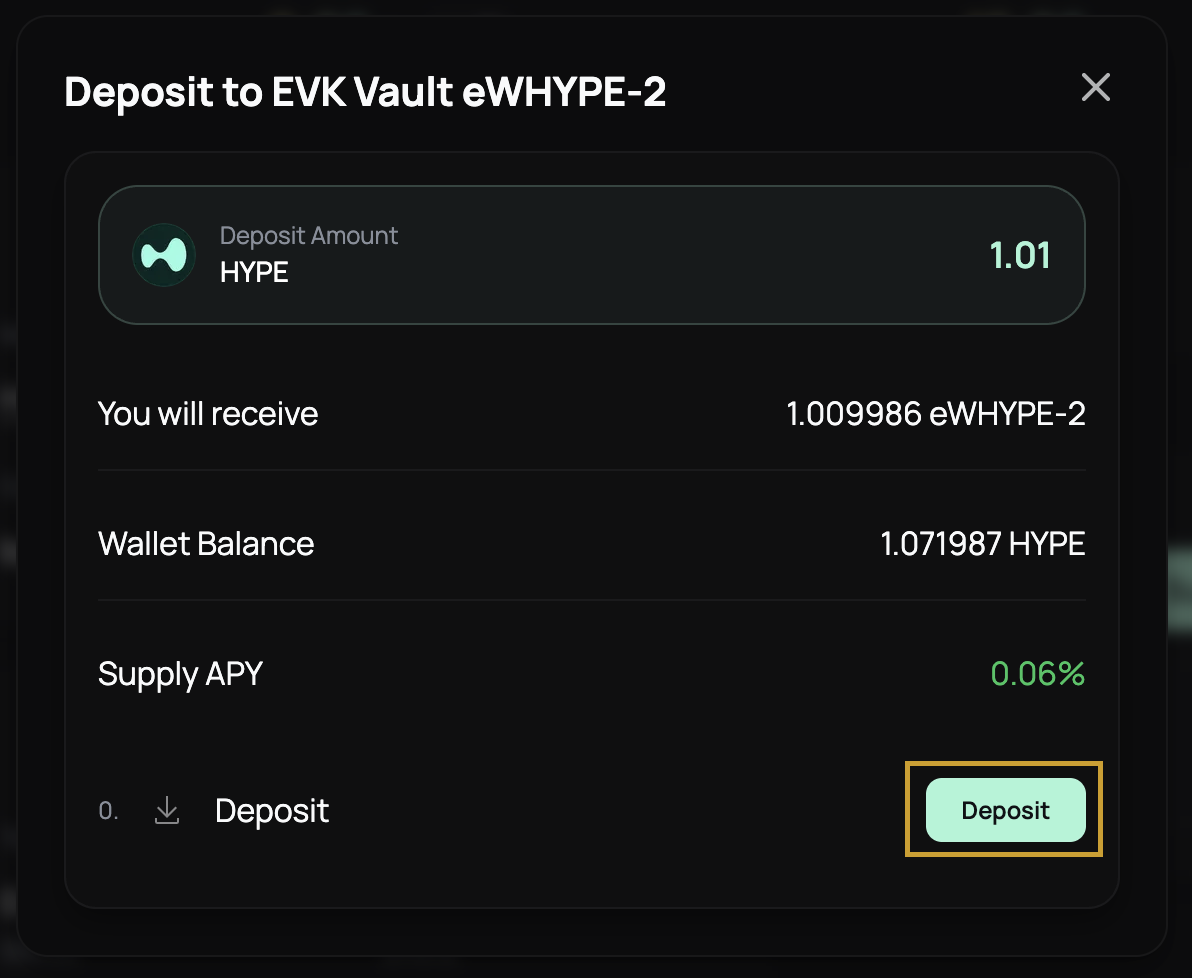
- Review the transaction details:
- Supply APY you’ll earn
- Estimated shares you’ll receive
- Confirm the transaction
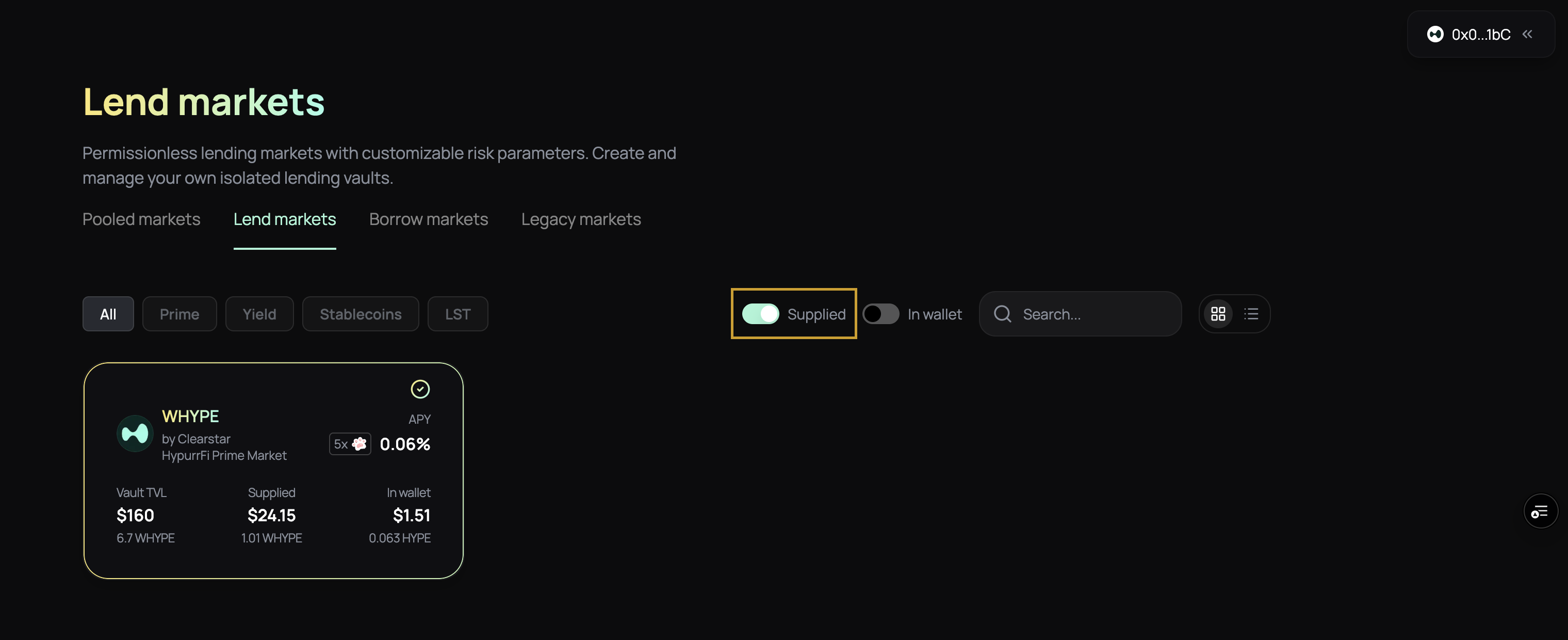
Step 3: Monitor Your Position
Your deposited assets earn interest automatically. The value of your eToken shares increases as interest accrues. You can:- View your position in your account
- Track your earned interest over time
- Use your savings as collateral for borrowing (without withdrawing)
- Withdraw at any time (subject to vault liquidity)
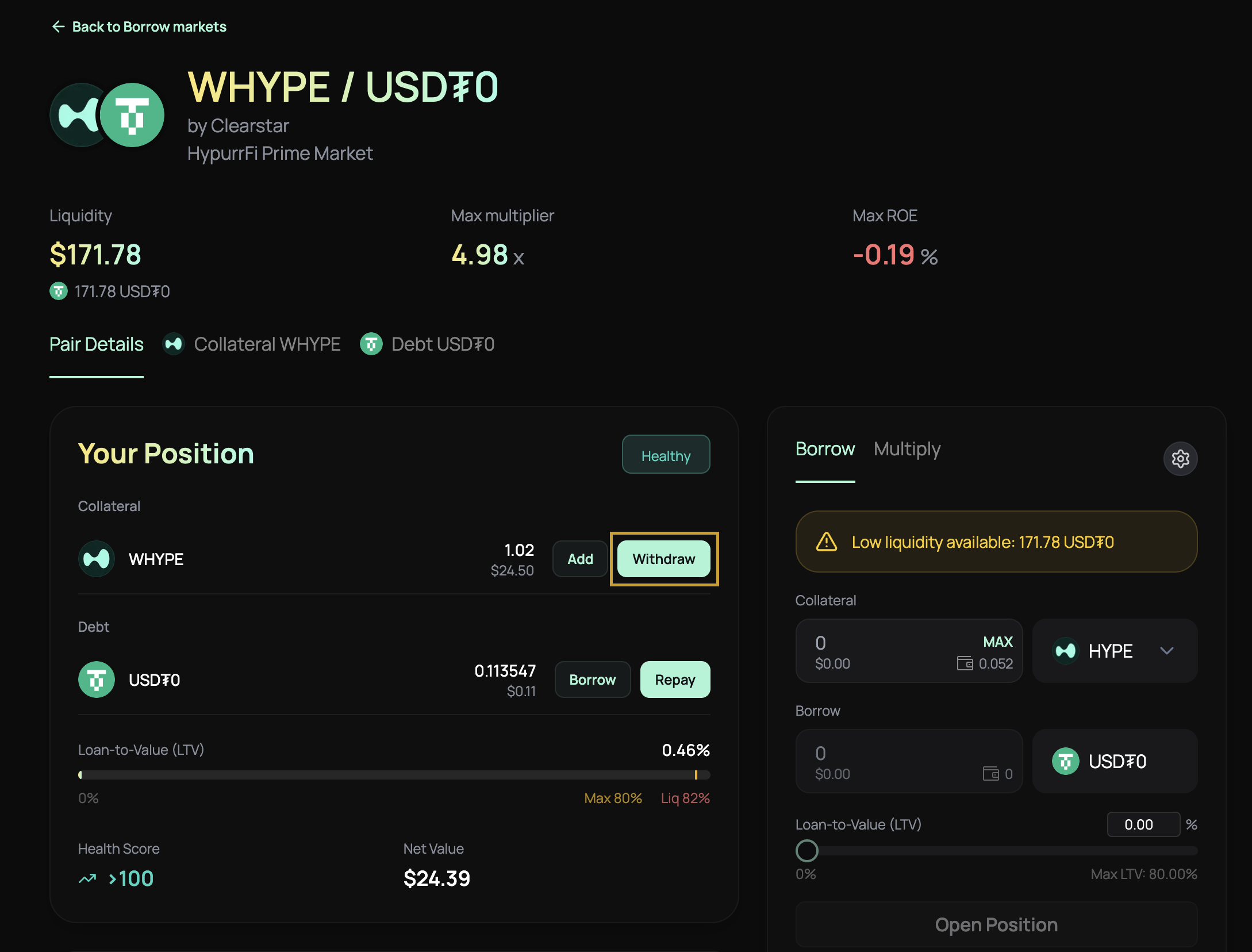
Withdrawing from Savings
- Navigate to your savings position
- Select the asset you want to withdraw
- Click “Withdraw”
- Enter the amount to withdraw
- Confirm the transaction
Related Guides
- Borrow - Learn how to borrow against your collateral
- Understanding Vaults - Learn how vaults work
- Interest Rate Models - Understand how rates are calculated