

Ready to borrow? Use the Borrow tab in the HypurrFi interface to open borrowing positions using your collateral. You can use assets from your wallet or from your existing deposits in Savings.
Opening a Borrow Position
Step 1: Choose Your Collateral Source
When opening a borrow position, you can use collateral from:- Your Positions: Collateral currently deposited
- Your Wallet: Assets already deposited in your Savings (account 0)
Step 2: Open a Borrow Position
- Navigate to the Borrow section
- Select a collateral-debt pair (e.g., ETH collateral → USDC debt)
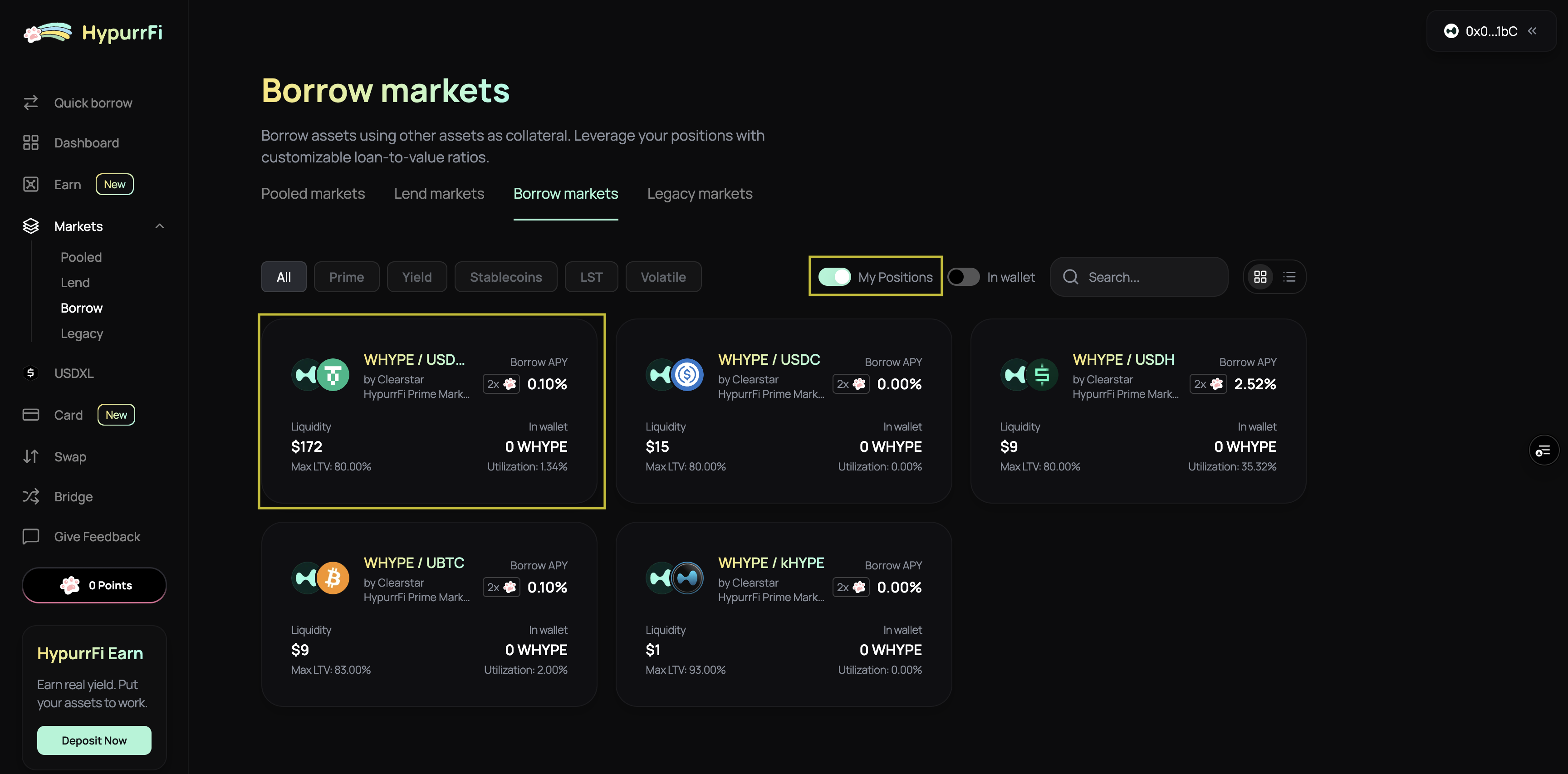
- Choose your collateral source from your wallet
- Enter the amount you want to borrow
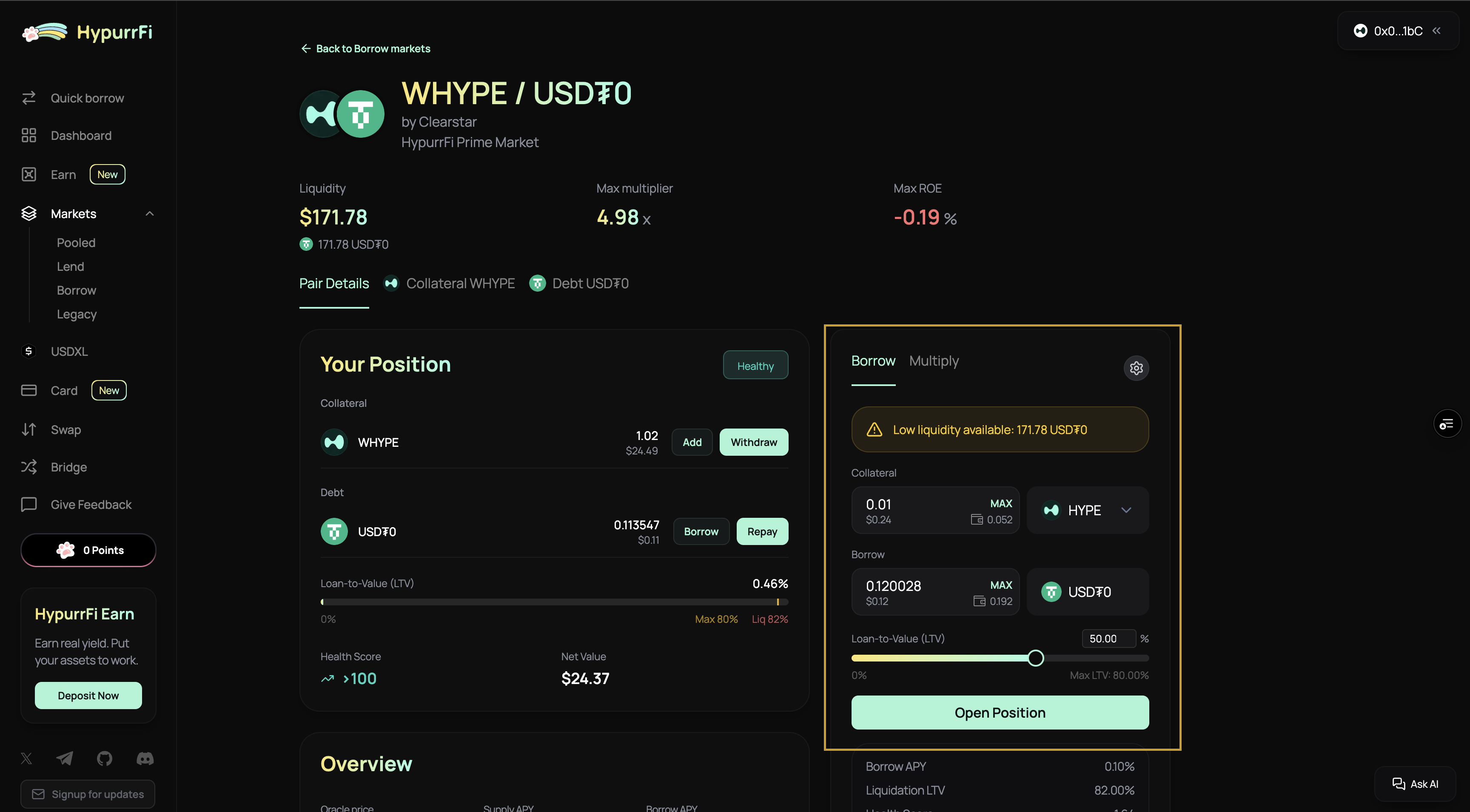
- Review the position details:
- Initial health score
- Liquidation price
- Interest rates
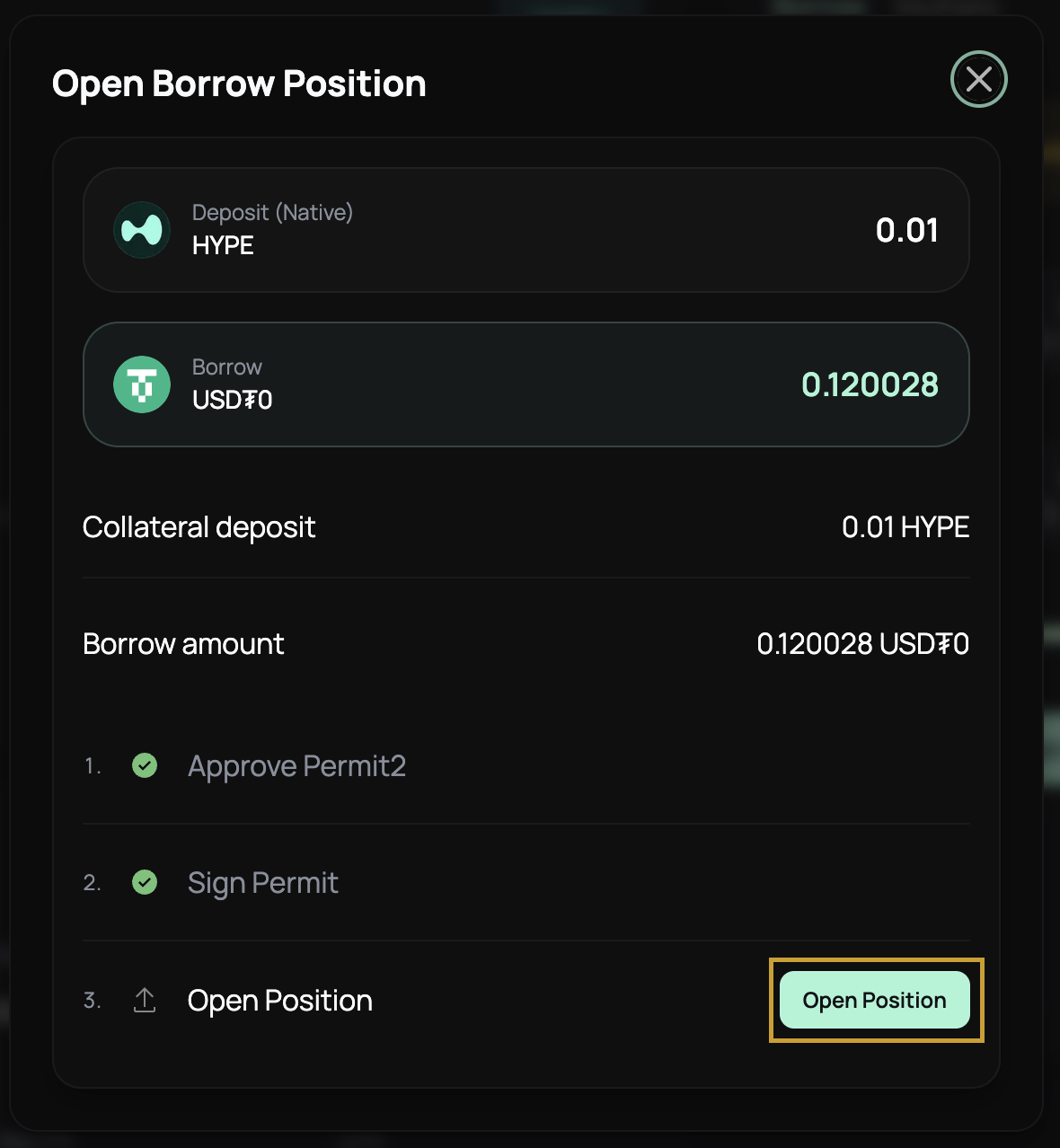
- Confirm the transaction
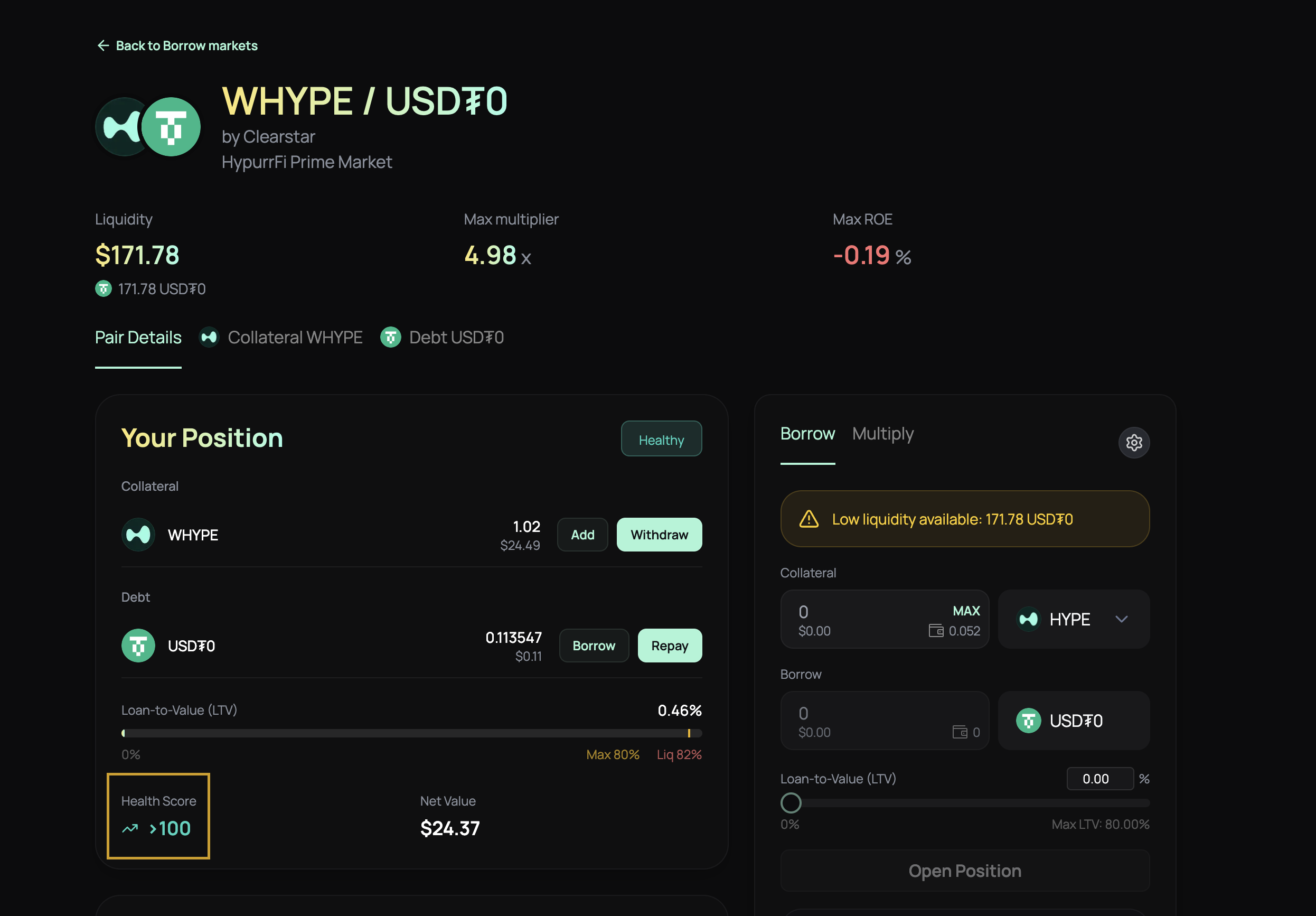
Step 3: Monitor Health Score
Your health score indicates how close you are to liquidation. Keep it above 1.0 to stay safe:- Health Score > 1.0: Safe
- Health Score = 1.0: At liquidation threshold
- Health Score < 1.0: Can be liquidated
Repaying Debt
- Navigate to your borrowed position
- Click “Repay”
- Enter the amount to repay (or select “Max” to repay all)
- Review the updated health score after repayment
- Confirm the transaction
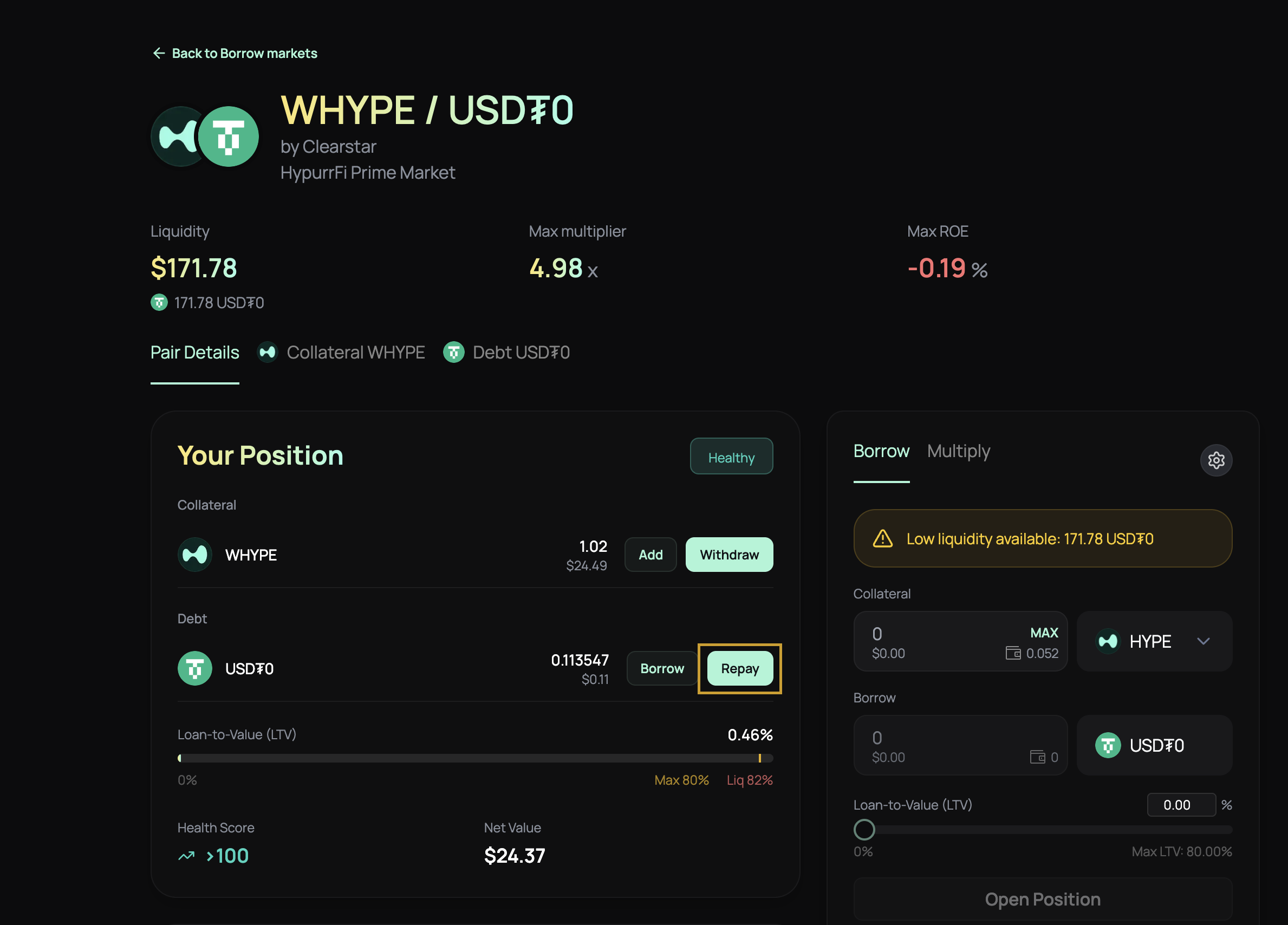
Withdrawing Collateral from Borrow Positions
- Navigate to your borrowed position
- Click “Withdraw Collateral”
- Enter the amount to withdraw
- Review the updated health score—ensure it stays above 1.0
- Confirm the transaction
Managing Your Borrow Position
Health Score Best Practices
- Monitor Regularly: Check your health score frequently, especially during volatile market conditions
- Maintain Buffer: Keep your health score well above 1.0 (aim for 1.5+ for safety)
- Set Alerts: Use monitoring tools to alert you when your health score approaches dangerous levels
- Understand Liquidation Price: Know the price at which your position becomes liquidatable
Risk Management
- Diversify Collateral: Don’t put all your collateral in one asset
- Watch Correlations: Be aware of asset correlations—correlated assets increase risk
- Monitor Liquidity: Ensure there’s sufficient liquidity in the market for your collateral
- Position Isolation: Use sub-accounts to isolate different strategies
Related Guides
- Lend - Learn how to lend assets to earn yield
- Liquidations - Learn about liquidation mechanics
- EVC and Sub-accounts - Advanced features for power users
- Risk Management - Best practices for managing risk